
Realtor-specific workflows

Realtor Follow-Up Workflows That Match How You Work

From portal leads and open houses to listing appointments and past clients, ARI helps automate the follow-up workflows Realtors use every day.

14-day free trial · Card required · no charge until trial ends · White-glove setup included on every plan
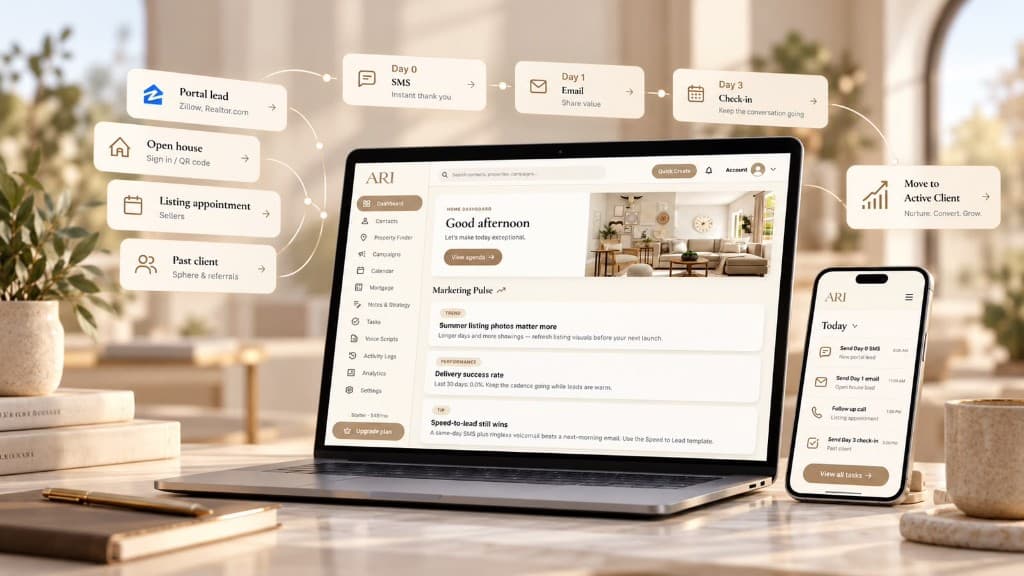
ARI automated follow-up workflow from portal leads and open houses through SMS, email, and check-in sequences

Portal lead workflow (Zillow, Realtor.com, website)

Automated SMS can send within minutes after a contact is added to a campaign - while you are in showings or with clients.

Recommended cadence: Day 0 - acknowledgment SMS + call attempt when you're free. Day 1 - email with value. Day 3 - short check-in text. Day 7 - voicemail or personal call prompt.

  • check_circleLead source → import or create contact in ARI → enroll in campaign → automated follow-up on your schedule → you handle replies.
  • check_circleImport portal exports or add leads manually after inquiry
  • check_circleTag by source and property interest
  • check_circleAssign to a speed-to-lead campaign you control

Open-house follow-up

Open-house leads go cold fast if follow-up waits until Monday. Import sign-ins the same day, reference the property they toured, and ask one clear question to start a conversation.

  • check_circleTag by property address or neighborhood
  • check_circleSame-day SMS while interest is fresh
  • check_circleFollow-up task for personal call within 48 hours

Buyer consult & listing appointment nurture

Not every lead is ready to transact this month. Sphere and past-client touches keep you visible without feeling promotional - market snapshots, check-ins, and seasonal reminders on a schedule.

When to take over from automation

Automation handles repetition; you handle relationships. When a lead replies, books a showing, or asks a specific question, ARI surfaces them for personal follow-up with full context on the contact record.

Everything you need to keep leads moving

Portal lead cadence

Structured touches for Zillow and Realtor.com inquiries after import.

Open-house same-day

Tag by property and follow up while memory is fresh.

Sphere nurture

Scheduled check-ins for referrals and past clients.

Realtor pipeline

Buyer, seller, and nurture stages in one CRM.

Frequently asked questions

Can ARI handle different follow-up sequences for different lead sources?
Yes. Create different workflows for portal leads, open houses, buyers, sellers, sphere contacts, and other segments.
Do portal leads sync automatically?
Zillow, Realtor.com, and other portal leads enter ARI through CSV export import or manual entry - not automatic portal sync. After a contact exists in ARI and is enrolled in a campaign, automated follow-up runs on the schedule you configure.
How fast can I respond to new leads?
Automated SMS can send within minutes after a contact is added to a campaign - while you are in showings or with clients.
Do I need technical skills to set up campaigns?
White-glove setup included on every plan. We configure your first campaigns during onboarding; the visual builder makes edits easy afterward.
What does it cost?
Plans start with a 14-day free trial. See pricing for Starter, Growth, and Pro tiers.

Start your 14-Day Trial

White-glove setup included on every plan. We help import your leads, configure your pipeline, and build your first follow-up campaign. Join ARI Founding 100 for founding-member pricing while seats last.